
Article Overview
Choosing an internet provider in Three Hills is about more than finding the fastest advertised plan. The technology delivering the connection, upload performance, reliability, monthly cost, customer support, and even the way the network is installed can all affect your everyday experience.
This guide looks at the main internet technologies available to Three Hills residents and explains what to compare before choosing a provider. It also considers how your needs may change as homes become more connected, businesses use more cloud-based tools, and the community’s digital infrastructure continues to grow.
What Internet Options Are Available in Three Hills?
Three Hills residents have access to several internet providers and technologies. The Town of Three Hills currently lists Northern Lights Fiber, Eastlink, TELUS, Xplore, AireNet, and Reality Bytes among local internet providers. Exact service, technology, speed, and pricing can still vary by address.
Northern Lights Fiber is also preparing a new underground fiber network in Three Hills. Its community page currently shows construction being scheduled and encourages residents to submit a Fiber Access Request before construction reaches their area.
The table below focuses on the major connection types residents are likely to encounter. Pricing and promotions are current as of September 2026 and should always be confirmed for the exact property.
| Comparison Point | Fiber | Cable | Fixed Wireless | Satellite | DSL |
|---|---|---|---|---|---|
| Provider | Northern Lights Fiber | Eastlink | Xplore | Starlink | TELUS, where copper service remains available |
| How It Reaches Your Property | Fiber optic cable runs directly to the property. Northern Lights Fiber installs its local infrastructure underground. | Typically uses a fibre-powered network with coaxial cable for at least part of the connection. The exact technology should be confirmed by address. | An exterior antenna or receiver communicates by radio signal with a nearby LTE or 5G tower. | A dish installed at the property communicates with satellites overhead. | Internet travels through existing copper telephone infrastructure using DSL technology. |
| Three Hills Availability | Northern Lights Fiber is scheduling construction in Three Hills. Availability and construction timing should be checked for the exact address. | Plan and connection availability should be confirmed by address. | Xplore specifically lists Three Hills among its Alberta service areas, although the technology and speed available depend on the property. | Designed for broad coverage, including properties without a practical wired connection. Plan availability still depends on the service address. | DSL may remain available at properties served by legacy copper infrastructure. |
| Advertised Download Speed | Aurora plans range from 100 Mbps to 2.5 Gbps. Three Hills residents should confirm which plans are available when their address becomes serviceable. | Current Eastlink public plans include 350 Mbps and 940 Mbps Gig Internet. Availability varies by area. | Xplore offers wireless service up to 100 Mbps, with 5G Ultra reaching up to 500 Mbps at eligible locations. | Current residential options include speed-capped plans and a Max tier, with exact availability varying by address. | Available speed depends on the copper line, distance from network equipment, and the service available at the address. |
| Upload Performance | Symmetrical speeds mean uploads can be as fast as downloads. | Current Internet 350 and Gig Internet plans advertise 10 Mbps and 15 Mbps uploads respectively. | Upload speed is generally lower than download speed and depends on signal, technology, and network conditions. | Current residential plans generally provide lower upload speeds than download speeds. | Upload speeds are generally much lower than downloads and depend on the copper connection. |
| Weather & Site Considerations | Northern Lights Fiber installs the network underground, reducing exposure to wind, ice, falling branches, and other above-ground hazards. | Does not require a tower signal or view of the sky, but reliability can depend on the design and condition of the local network. | Performance can depend on tower distance, terrain, trees, obstructions, and severe weather. | Requires a suitable view of the sky. Weather, obstructions, congestion, and dish placement can affect performance. | Does not require a tower or dish, but performance depends on the condition and length of the copper line. |
| Data & Equipment | Current Aurora plans include unlimited data. A Fiber Access Request in Three Hills is free and does not commit the homeowner to internet service. | Current plans include unlimited usage and whole-home Wi-Fi equipment. | Current fixed wireless plans include unlimited data. Equipment and installation requirements depend on the service available at the property. | Residential plans include unlimited data. A compatible Starlink kit and suitable installation location are required. | Modem, data, installation, and contract terms depend on the TELUS service available at the address. |
| Current Advertised Pricing | Aurora plans currently start at $89/month, with promotional pricing shown on selected plans. Three Hills launch pricing should be confirmed when service becomes available. | Eastlink currently advertises Internet 350 at $75/month for 12 months and Gig Internet at $90/month for 12 months, including its pre-authorized payment discount. Regular prices are higher. | Xplore currently advertises its 100 Mbps fixed wireless plan at $49/month for four months and $75/month afterward. Availability conditions apply. | Residential pricing and hardware offers can vary by address, so the property should be checked directly before comparing costs. | TELUS does not publish one universal DSL price for Three Hills. Enter the address to see available technology, speed, and pricing. |
| Strongest Advantages | High capacity, symmetrical uploads and downloads, low latency, underground infrastructure, and room for growing internet use. | Fast downloads, established wired service, unlimited usage, and strong support for everyday streaming and browsing. | Can provide high-speed service without running a wired connection to the property. | Can reach remote properties where wired or tower-based alternatives are limited. | Uses existing telephone infrastructure and may still support lighter internet use. |
| Main Trade Offs | Three Hills service depends on construction reaching the property. | Upload speeds can be much lower than downloads, and promotional pricing should be compared with the regular rate. | Performance depends more heavily on signal strength, tower capacity, terrain, and property location. | Requires satellite equipment and suitable placement. Performance can vary with congestion, weather, and obstructions. | Older copper infrastructure offers less capacity for busy households, large uploads, and increasing numbers of devices. |
| Often Best For | Remote work, gaming, cloud applications, smart homes, large households, businesses, and properties planning for growing internet needs. | Homes that primarily want strong download speeds for streaming, browsing, gaming, and general internet use. | Acreages or properties without a suitable wired option but with good tower coverage. | Remote properties where wired or fixed wireless service is not practical. | Lighter internet use where newer infrastructure is not yet available. |
How Much Internet Speed Does Your Household Actually Need?
The fastest available plan is not automatically the right plan. Start with what happens in your home at the same time. One person checking email requires very little capacity compared with a household where several people are streaming, gaming, joining video meetings, backing up files, and using connected cameras throughout the day.
As a practical starting point, a 100 Mbps connection can support lighter household use, including browsing, email, streaming, and occasional video calls. Around 500 Mbps gives a busier household more room for gaming, video conferencing, smart devices, and several simultaneous users. Gigabit-level service becomes more useful when high-bandwidth activities regularly overlap, including large downloads, remote work, multiple high-resolution streams, and extensive connected-device use.
The key is to buy enough capacity for your normal busiest period, rather than choosing a plan based on what one person does when the network is quiet.
For a fuller breakdown by activity, read What Internet Speed Do You Really Need? A Practical Guide for Alberta Homes
Why Should You Compare Upload Speed as Well as Download Speed?
Two providers may advertise similar download speeds while offering very different upload performance.
Downloads cover activities such as opening websites, watching streaming services, and receiving files. Uploading happens when you participate in a video call, send a large work file, back up photos, use cloud software, livestream, or send security-camera footage online.
That distinction becomes important for remote workers, home businesses, students, and households with connected cameras. Fiber can provide symmetrical service, while cable, fixed wireless, satellite, and DSL commonly provide less capacity in the upload direction.
A plan that looks fast on paper may therefore feel quite different depending on how your household actually uses it.
To see how the two most common wired options compare, read Fiber vs. Cable: Which Internet Is Better for Alberta Homes?
How Does Alberta Weather Affect the Connection?
Three Hills residents do not get to choose whether winter, wind, snow, ice, or summer storms arrive, but they can consider how exposed their internet infrastructure is to those conditions.
Satellite and fixed wireless both depend on signals travelling through the air. Fixed wireless performance can be influenced by terrain, obstructions, tower distance, and severe weather. Satellite requires a suitable view of the sky and can also be affected by environmental conditions and obstructions.
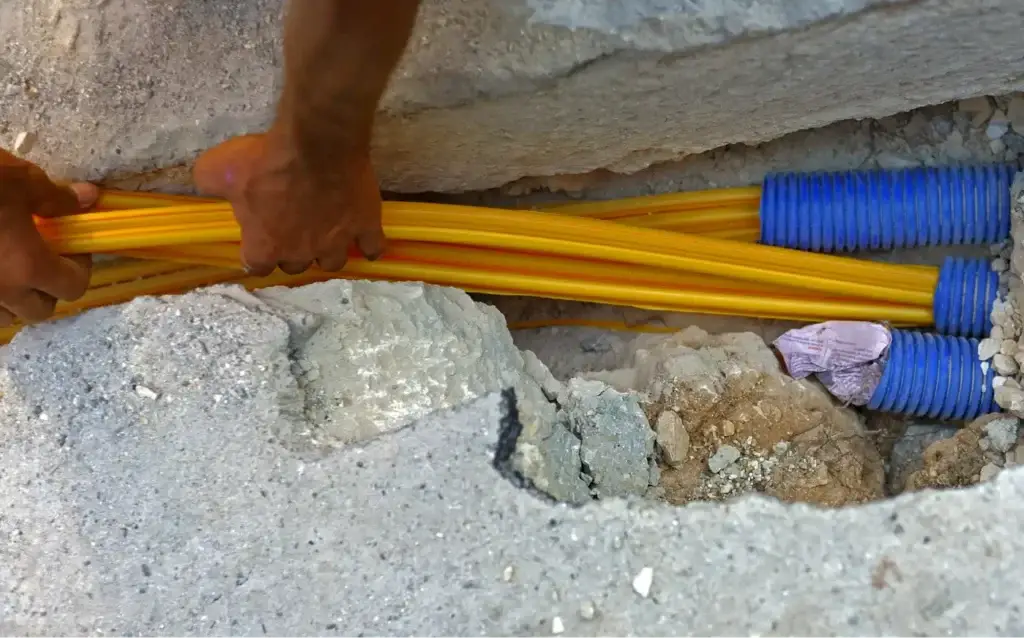
Northern Lights Fiber is taking a different approach in Three Hills by installing the local fiber network underground. This reduces exposure to many above-ground hazards such as high winds, ice buildup, blowing debris, and falling branches. No network is immune to every interruption, including power outages, equipment failures, or accidental construction damage, but network placement can reduce certain risks.
For a closer look at how network design affects performance through Alberta’s changing seasons, read Why Does Underground Fiber Stay More Consistent Year-Round?.
How Should You Compare the Real Price of Internet?
The advertised monthly price is only part of the cost. Some providers offer a lower introductory rate that lasts a few months or a year. Others tie pricing to a two-year term, automatic payments, or new-customer promotions. Equipment, installation, site checks, satellite hardware, Wi-Fi upgrades, or cancellation charges can also change the total.
For example, Eastlink currently advertises introductory rates for 12 months before its regular price applies, while Xplore’s current 100 Mbps promotion runs for four months before moving to its regular advertised rate. Northern Lights Fiber also displays promotional pricing on selected Aurora plans and notes that its advertised pricing is based on a two-year term.
Instead of asking only, “What will I pay next month?”, look at what you are likely to spend over the full period you expect to keep the service.
Why Customer Support Matters When Choosing a Provider
Internet usually gets the most attention when something stops working.
Before choosing a provider, find out how support actually works. Consider whether help is available outside regular business hours, whether you can speak with a person when needed, how service appointments are handled, and whether technical support is provided locally or remotely.
There are meaningful differences between providers. Northern Lights Fiber emphasizes support from an Alberta-based team, while Xplore advertises 24/7 Canadian-based technical support.
There is no single support model that will matter equally to everyone. Someone working from home may place a high value on fast technical assistance, while another household may care more about simple billing and easy self-service. What matters is knowing what kind of help you will receive before you need it.
Why Does Future-Ready Infrastructure Matter as Three Hills Grows?
Your internet needs are unlikely to remain exactly where they are today. Homes continue adding connected televisions, cameras, thermostats, appliances, gaming systems, computers, and other devices. Businesses increasingly rely on cloud software, online transactions, video meetings, remote access, and large digital files.
That means the infrastructure behind the service matters over the long term.
Older technologies can continue serving many homes effectively, but some have more physical limitations than others. DSL depends on legacy copper. Fixed wireless depends on tower capacity and radio coverage. Cable networks can be upgraded, but performance and future capacity depend on the design of the existing network.
Fiber has substantial room to grow because additional capacity can be delivered over the underlying fiber infrastructure as network equipment advances. For Three Hills, that makes the current build about more than providing another internet option. It adds digital infrastructure intended to support residents, businesses, and new technology as the community’s needs evolve.
For more on the community-wide impact, read What Modern Fiber Infrastructure Brings to Three Hills.
What Should You Ask Before Choosing an Internet Provider?
Before signing up, ask enough questions to understand what you are actually getting:
- Is the service available at my exact address today?
- What technology will deliver the connection to my property?
- What are both the download and upload speeds?
- How does the service perform when several people are online?
- Is the advertised price introductory, and what will I pay afterward?
- Is there a contract or cancellation charge?
- Are equipment, installation, shipping, site checks, or hardware extra?
- Is data unlimited, and are there any traffic-management policies I should understand?
- What customer support is available if I have a problem?
- Will this connection give my household or business enough room for additional devices and heavier internet use in the next few years?
Answering those questions makes it easier to compare the service itself rather than choosing from a price or download number alone.
What Is the Best Next Step for Three Hills Residents?
Start by checking your exact address with the providers you are considering. Internet infrastructure does not always follow town boundaries evenly, so two properties in the same community can have different connection options.
Once you know what is available, compare the technology, download and upload performance, regular monthly cost, installation requirements, support, and how well the connection fits both your current use and what you may need a few years from now.
Northern Lights Fiber is currently scheduling its Three Hills build, and residents can use the Three Hills Community Page to follow construction, check availability, and submit a Fiber Access Request. The request is free and does not commit you to Northern Lights Fiber service.
Have questions about fiber internet, the construction process, or what a new fiber connection could mean for your property? Contact Northern Lights Fiber to learn more.
Frequently Asked Questions
Should I cancel my current internet before my new service is installed?
If staying connected is important, it is usually safer to wait until the new service has been installed and tested before cancelling your existing connection. Check your current provider’s notice requirements and cancellation terms so you can plan the transition without paying for unnecessary overlap.
Can I keep my email address if I switch internet providers?
It depends on the email address. If you use Gmail, Outlook, or another independent email service, changing internet providers should not affect it. If your email address belongs to your current internet provider, ask whether you can keep it after cancellation. If not, give yourself time to move important accounts and contacts to a new address before switching.
Will choosing a faster internet plan fix weak Wi-Fi in every room?
Not necessarily. Your internet plan determines the connection coming into your home, while Wi-Fi performance inside the home can also depend on router placement, building materials, distance, interference, and the Wi-Fi equipment itself. If only certain rooms have problems, improving your home Wi-Fi setup may be more useful than simply choosing a faster plan.